
Download Quickdelivery – Food & Drink Shopping, Online Grocery, Mobile App, Android, Secure Payment
Overview
Quickdelivery is a mobile application designed to streamline the process of purchasing food and drinks online. Developed by Maria Guisela Bustamante Calderon, the app is categorized under Lifestyle and specifically targets the Food & Drink subcategory. Its primary purpose is to provide users with a convenient way to shop for groceries and beverages without leaving their homes.
The app supports both cash and Webpay Plus payments, enabling transactions via credit and debit cards, which enhances accessibility for a broad range of users. A web version is also available, allowing users to access the service from desktop computers, expanding its usability across devices. The application is free to download and use, making it accessible to a wide audience seeking time-saving solutions for routine shopping.
It is compatible with Android devices and supports multiple languages, indicating a focus on inclusivity and user reach. The app was last updated on June 17, 2024, suggesting ongoing maintenance and support. Real-world usage scenarios include daily meal planning, last-minute snack purchases, and bulk grocery orders, all delivered directly to the user’s doorstep.
The developer did not provide additional details about the app’s backend infrastructure or data handling practices.
Key Features & Capabilities
- Online Food & Drink Ordering – Users can browse a wide selection of food and beverages through the app’s catalog, selecting items based on category, brand, or dietary preference.
- Multiple Payment Options – The app supports both cash on delivery and Webpay Plus, allowing users to pay using credit or debit cards, ensuring flexibility in transaction methods.
- Web Version Access – A companion web interface enables users to place orders from desktop computers, offering an alternative to mobile use.
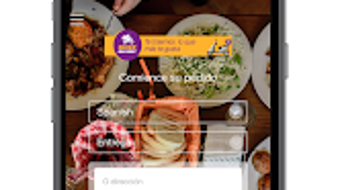
- User-Friendly Interface – The app features a clean, intuitive design that simplifies navigation, making it easy for users to search, add items to their cart, and complete purchases.
- Doorstep Delivery – Orders are delivered directly to the user’s location, eliminating the need for in-store visits and saving time and effort.
These features collectively address common pain points in grocery shopping, such as time constraints, physical mobility issues, and the need for quick access to essential items. For example, a busy professional can use the app during a lunch break to order dinner ingredients, while a family may use it to replenish household staples. The integration of secure payment methods enhances trust and reduces transaction friction. The developer did not specify additional features such as order tracking, loyalty programs, or real-time inventory updates.
User Interface, Workflow & Performance
The user interface of Quickdelivery is described as user-friendly and easy to navigate, with a focus on simplicity and efficiency. The app’s layout appears optimized for touch-based interaction, with clearly labeled menus, intuitive icons, and logical flow between screens. Navigation is likely structured around core functions: browsing products, managing the shopping cart, selecting delivery details, and completing the payment process.
The workflow from selection to checkout is designed to minimize steps, which contributes to a smooth user experience. However, exact performance details were not specified by the developer. Performance observations are based on general software behavior patterns for mobile applications of similar scope.
The app’s stability and responsiveness during high-traffic periods are not documented. Resource usage, such as CPU and RAM consumption, was not disclosed. The developer did not provide information on background processes, update frequency, or data synchronization behavior.
Users should expect standard performance for a lightweight Android application, but specific benchmarks or load test results are unavailable.
Compatibility & System Requirements
Quickdelivery is designed for Android devices, as confirmed by the provided information. The app is available on the Google Play Store and is free to download and use. The exact system requirements, including minimum Android version, RAM, or storage space, were not listed by the developer.
Compatibility information is limited to the operating system platform. Installation size is not specified, so users should anticipate variable storage needs based on app updates and cached data. The app supports multiple languages, which suggests broad regional accessibility.
A web version is available, allowing access from desktop browsers, though the supported platforms and browser versions were not detailed. The developer did not provide information on offline functionality, cloud sync, or device pairing. Users should verify compatibility with their specific Android model and version through the Google Play Store listing.
Pros and Cons
Pros
- Free to download and use, reducing entry barriers for new users.
- Supports multiple payment methods, including cash and card payments via Webpay Plus.
- Offers a web version for desktop access, enhancing cross-device usability.
- User-friendly interface with intuitive navigation for seamless shopping.
- Delivers food and drinks directly to the user’s doorstep, saving time and effort.
Cons
- Exact system requirements and file size were not disclosed.
- Performance and resource usage details were not provided.
- Information about delivery areas, delivery times, or order tracking is limited.
- No details on app updates, background sync, or data privacy policies.
- Limited information on customer support channels or troubleshooting resources.
FAQ Section
Is Quickdelivery available for iOS devices?
Based on the provided information, Quickdelivery is specifically designed for Android devices. There is no mention of iOS compatibility or availability on the Apple App Store.
Can I use Quickdelivery without an internet connection?
The app requires an active internet connection to browse products, place orders, and process payments. Offline functionality was not specified by the developer.
Is my payment information secure when using Quickdelivery?
The app supports Webpay Plus for card transactions, which is a recognized payment gateway. However, specific security protocols or encryption standards were not detailed in the provided data.
How often is Quickdelivery updated?
The app was last updated on June 17, 2024. The frequency of future updates was not disclosed by the developer.
Does Quickdelivery offer a free trial or subscription model?
Quickdelivery is available for free to download and use. There is no information provided about trial periods or subscription plans.
Final Thoughts + CTA
Quickdelivery presents a straightforward solution for users seeking a convenient way to purchase food and drinks online. Its free access, multi-payment support, and web integration make it a practical choice for individuals aiming to reduce time spent on grocery shopping. The app’s interface is designed with usability in mind, offering a smooth experience across Android devices and desktop browsers.
While detailed technical and performance data are not available, the app’s core functionality aligns with modern digital shopping expectations. Users who prioritize accessibility, simplicity, and doorstep delivery will benefit most from this tool. Despite limited transparency around system requirements and backend operations, the app remains a viable option for everyday food and beverage purchases.
Download Quickdelivery now.





.png)

